Lightning.png
✅ Compatibility Guaranteed
Lightning.png
Skip to product information
1 of 6

Square iPad / Android Hardware Bundle — Receipt Printer & Cash Drawer

Square iPad / Android Hardware Bundle — Receipt Printer & Cash Drawer

Add accessories below

  • NO SALES TAX (except NJ)
  • Free shipping on every order
Regular price $369.99
$369.99 Regular price Sale price
Save $-369.99 Sold out
IN STOCK. SHIPS SAME BUSINESS DAY.

📦 Ships same business day-Free Overnight delivery available

Compatible Add-On Accessories for Square iPad / Android Hardware Bundle — Receipt Printer & Cash Drawer

This Square iPad / Android Hardware Bundle — Receipt Printer & Cash Drawer works with the following optional add-on accessories:

Add-Ons That Work With This Bundle

Bundle: $369.99
Total: $369.99
  • Free Returns
  • Free Setup Assistance
  • Overnight Shipping Available
  • Lifetime Warranty
View full details
  • Description
  • Specs
  • Downloads
  • Setup
  • Compatibility

Looking for the best POS cash register setup for Square? This bundle includes a receipt printer, EOM-100 cash drawer — all compatible with Square on iPad and Android.

Compatible with:

✅ Square on iPad

✅ Square on Android

  • Includes a Ethernet Thermal Receipt Printer (With Autocut), and The EOM-100 Cash Drawer
  • Compatible with Square Stand and Square Register
  • 2 Year Full Warranty, Lifetime Tech Support, from EOM-POS
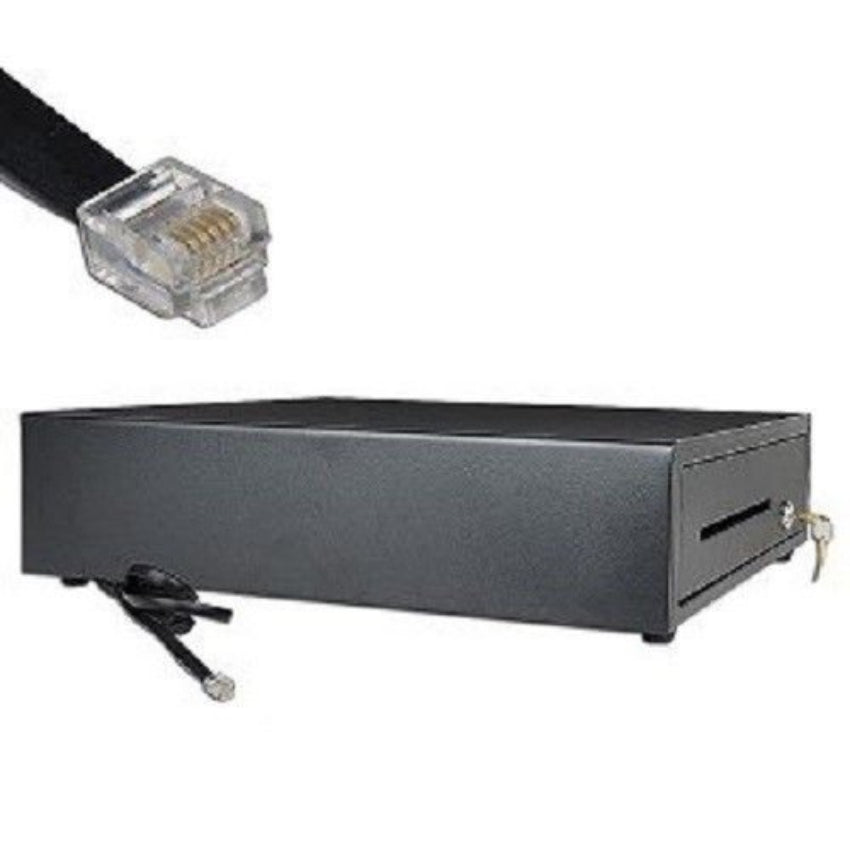
  • No installation required. The Cash Drawer connects with a Built in RJ12/11 cable (included) to the Printer for automatic opening of cash drawer
  • The Thermal Printer does not require ink or toner. (Thermal paper roll required - 80mm or 3-1/8 inches paper width).

Includes:

EOM-100 Cash drawer

Epson Thermal Receipt Printer (TM-M30)

No downloads available for this product.

Receipt Printer:

Connect the printer to router.

1: In the Square app, go to SETTINGS. 2: Select HARDWARE. 3: Select PRINTERS. 4: Select ASSIGN. 5: Select CREATE NEW PRINTER PROFILE. 6: Enter any name for the profile. 7: Select RECEIPTS. 8: Turn the receipts option ON. 9: Go back and select SAVE.

Cash Drawer:

Connect the RJ11 cable to your receipt printer. (cable included)

  • ✅ Square on iPad
  • ✅ Square on Android

SEE THE VIDEO

Why we're better

Others

7%+ sales tax in some states

Long shipping times

High Shipping Charges

Costly Return Charges

EOM-POS

No Sales Tax (except NJ)

Fast, Same Day shipping

Free Shipping

Free Returns

FREQUENTLY ASKED QUESTIONS

What is your return policy?

We offer free returns within 90 days on all items.

What is the warranty period?

We provide a Lifetime Guarantee and Lifetime Tech Support.

How much is shipping?

Shipping is always free. 

How fast do you ship?

Orders placed before 4pm EST ship out same business day, via UPS ground, from our warehouse in New Jersey.

How do I connect my cash drawer to Square?

Simply plug it into your receipt printer using the cable provided. 

How can I get extra keys?

You can order additional or replacement keys here